Pokémon Center, Target and Walmart appear in Snagged’s retailer catalogue with Pokémon or TCG drops among their listed use cases. Their current service labels are shown below. Retailer support describes the checkout service; it does not mean a particular card product is in stock.

Pokémon Center
Live

Target
Live

Walmart
Live
Snagged supports US and Canadian storefronts. Confirm coverage for the exact retailer, region and product you want, along with shipping eligibility and drop requirements. Support for one storefront does not imply coverage of every regional store. For other retailers, check the full retailer list and ask the team about the product.
If you are searching for a Pokémon Center auto checkout bot, first decide who you want to operate it. With bot software, you manage its setup and tasks. With Snagged’s managed service, you provide the product request and purchase details, then confirm the drop coverage with the team.
Keep the exact Pokémon Center product link and edition with your request. A retailer marked live does not mean every release, region or shipping address is eligible. Ask about the specific listing before preparing for a time-sensitive drop.
Compare auto checkout bots and managed retail ACO, or contact Snagged about your setup. Neither option guarantees that the retailer will accept or ship an order.
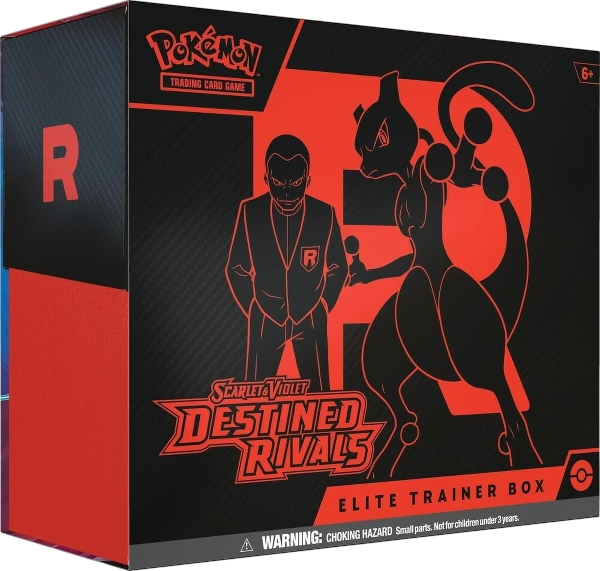
A clear target identifies the expansion, product type and edition. Copy the name directly from the listing, keep the product URL, and add the retailer’s SKU or TCIN where available. This helps distinguish a specific box from a bundle, a different edition or another listing with a similar name.
For example, a useful watchlist name follows the pattern “[Expansion] Elite Trainer Box — [edition shown by the retailer]”. This is a naming example, not an announcement of a current release. Pair it with the actual product link rather than relying on the name alone.
If a listing includes several boxes or another bundle arrangement, establish what one unit means before setting quantity. The number entered in a watchlist should reflect the retailer’s sale unit, not the number of individual packs you hope to receive.
- Select the matching retailer. Choose the store associated with your product link. Save a billing and shipping profile for that retailer in Profiles.
- Add the name and product link. In Watchlist, choose Add item and paste the listing details. Put the SKU or TCIN under More details when you have it.
- Set a maximum price and quantity. The maximum-price field can be left without a limit, so enter a value deliberately. Keep your overall budget in view when following more than one item.
- Use notes for useful context. State an edition or packaging preference clearly. Confirm unusual requests with the team; a note alone is not confirmation that a special requirement is supported.
- Review related requests. If you are following the same product at several stores, check all of those items when you get what you want. Pause the saved requests you no longer need and ask the team to stop any tasks already running.
The first-drop setup guide walks through Discord sign-in, profiles and checkout notifications.
Use checkout history to distinguish an accepted checkout from a declined or failed attempt. Follow the retailer’s confirmation and shipping messages for what happens to the order afterward. A dashboard success does not guarantee fulfillment.
When you have secured the product you wanted, review your watchlist and pause or mark the relevant entries done. A saved watchlist change does not stop an active checkout task, so confirm any stop request with the team. If the retailer later cancels an order, use the cancellation-claim workflow so any service invoice adjustment can be reviewed.
Snagged’s membership and profit cut are separate from the retailer’s product charge. Read the current pricing before deciding which plan fits your buying activity.
Does this page show live Pokémon stock or restock times?
Do I need to keep Snagged open during a Pokémon drop?
Is Snagged affiliated with Pokémon Center?
Your next step
Make your next drop easier to manage.
Review the plans, choose your retailers and set up the products you actually want.